Your training stops disappearing
Photograph your gym sheet, check the sets it read, and save – reps, load, all of it.
 Fitterson
Lifting, running, and everything else you do to keep moving – all in one place. The sheets you fill in at the gym, the workouts on your watch, the hike you squeezed in on Sunday. Two months from now, you'll still know what you did today – and how it all added up.


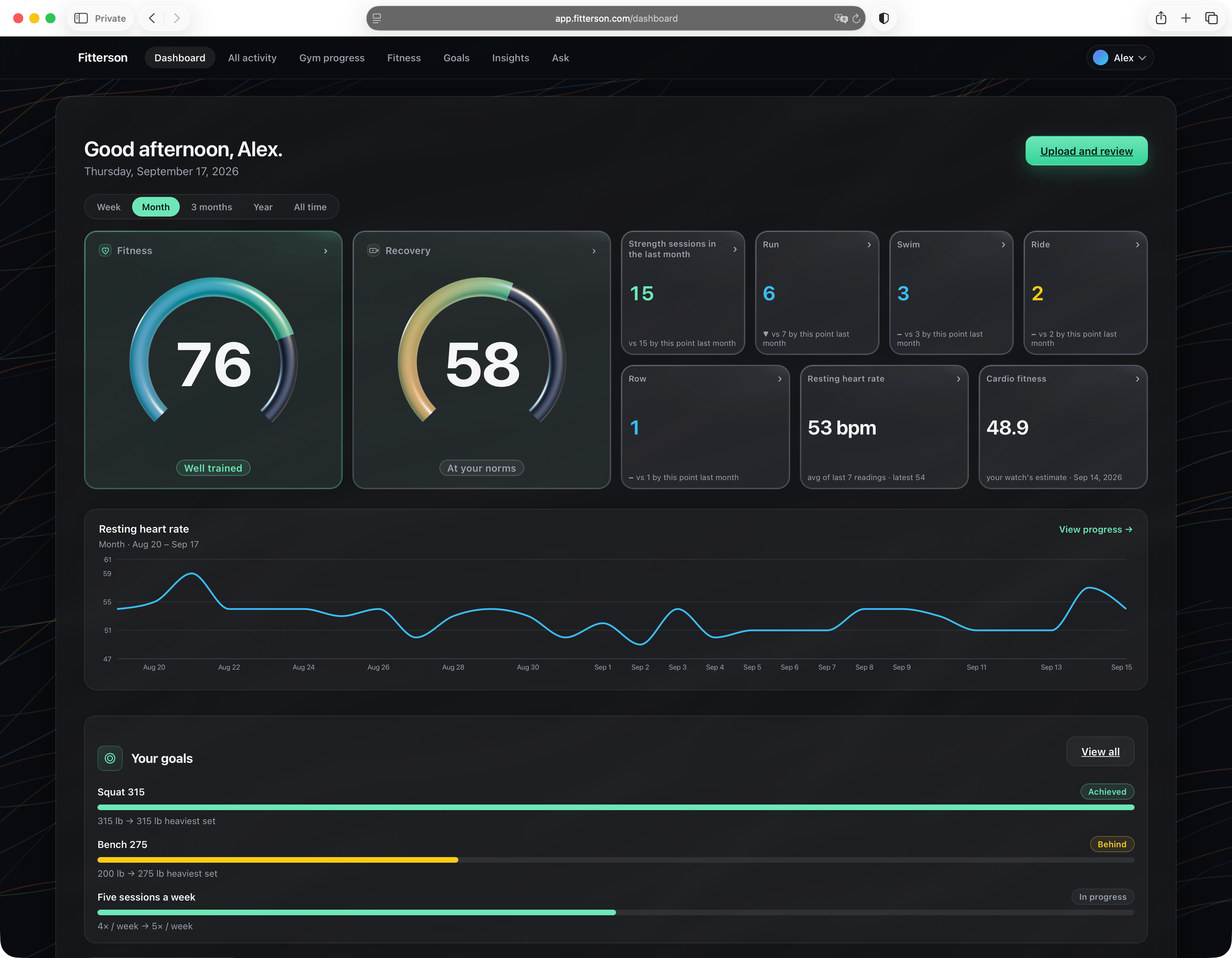
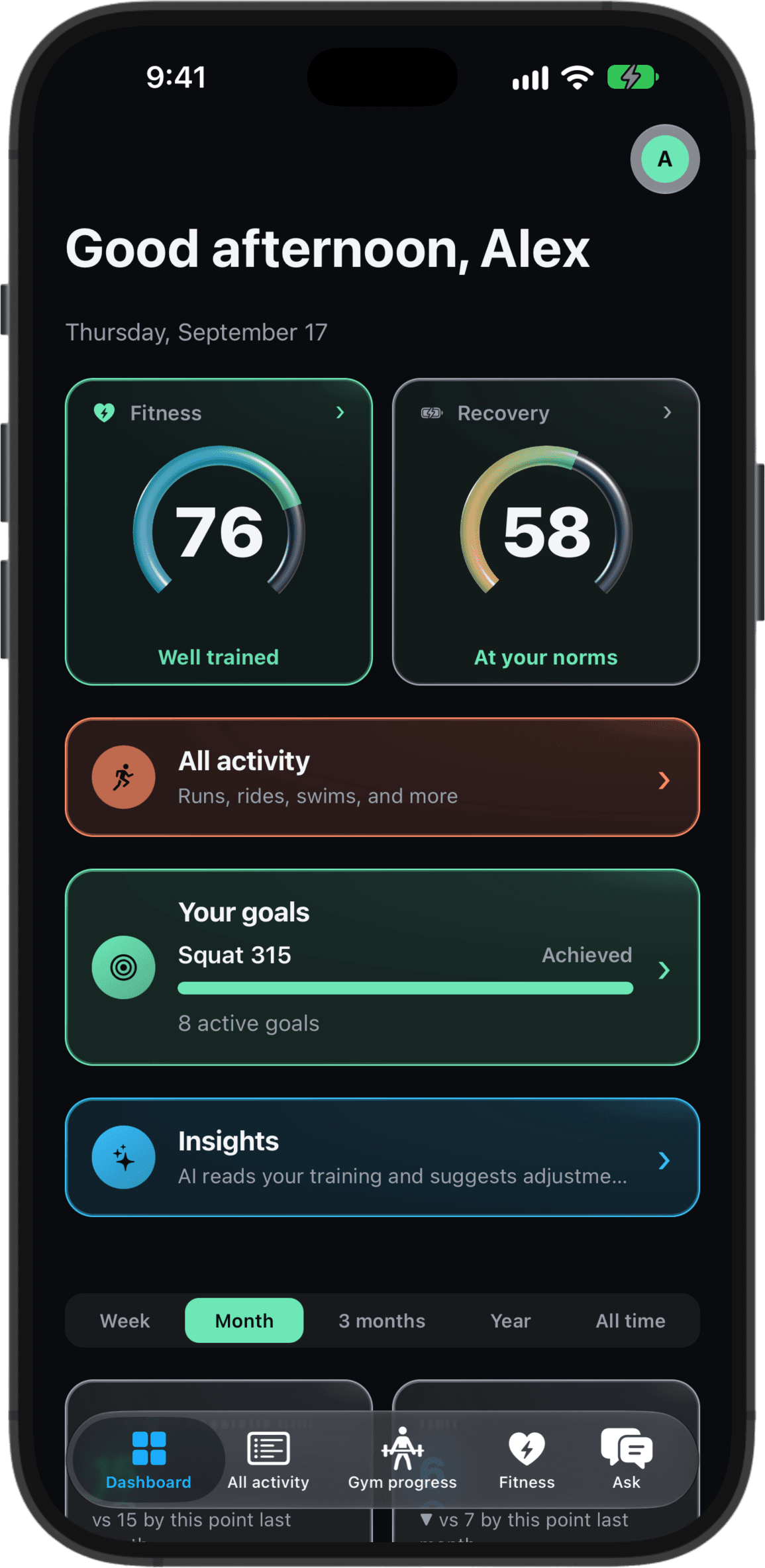
Not a log you fill in and never open again. A history that answers questions.
Photograph your gym sheet, check the sets it read, and save – reps, load, all of it.
Connect Apple Health or Health Connect once, and your watch workouts land next to your gym days – runs, rides, hikes, whatever you track.
Every lift gets its own trend – moving, stalled, or slipping.
Endurance, strength and stamina in one reading – an estimate against a benchmark, not your best week. It sharpens as you log more.
A Readiness reading against your own usual, plus your training load in plain words – something to weigh, not an instruction.
Set a lift, a pace or a body weight – progress fills in from what you've already logged.
Insights reads your log and tells you what it notices – suggestions, never medical advice.
Ask why last week felt heavy. Answers are grounded in the training you have logged.
Creating an account requires no payment and starts no subscription.
Your training and health data is personal, and Fitterson is built that way. We don't sell it, and we never hand it to advertisers. The privacy policy is where the detail lives – what we collect, who else processes it, and how to delete it.
At my gym everything gets written on paper sheets. They work fine on the day, and a few weeks later the history is gone – I couldn't tell you what I did two months ago or what I had on the bar. I also lift and run, and nothing put the two side by side, so I couldn't tell whether the gym work was helping my half marathon at all. I built this for myself, and then it seemed worth sharing.
– Kirill, who built it
Either. Manual entry works on the web and in the iPhone and Android app. Sheets are one way in, not the only one.
No – the web dashboard does everything except health sync. Syncing your watch and phone data needs the app: Apple Health on iPhone, Health Connect on Android. A browser cannot reach either.
Yes, by CSV, on the web. That import is not in the iPhone or Android app.
Our gym's standard sheet and freeform layouts. Nothing saves on its own – each cell comes back with how confident the read was, and you confirm it on a review screen before anything is written.
All the tracking is free, and Pro raises the AI allowances.
See what's free, and what Pro addsAI runs on our servers, never in your browser or on your phone, and the privacy policy names who processes it. Deleting your account is a button inside the app, on the web and on your phone – your data is deleted, not deactivated.
Read the privacy policyA faster 10k, ten pounds, a bit more buff by summer – whatever it is, Fitterson won't do the training for you. It'll make sure you can see whether it's working.